
Building the email
When building a new email using MJML, you can use the Email Template Skeleton v3.0 (MJML) for the email skeleton
After compiling the email
- Change the email body colour by adding
style="background-color:#f6f6f6"to the<body>tag.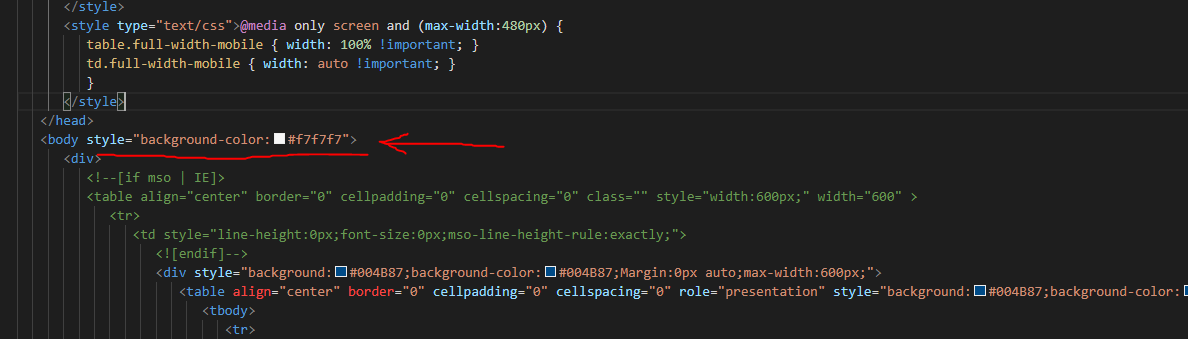
- Add 5-line spacing between each email section so that there's clear definition between each section
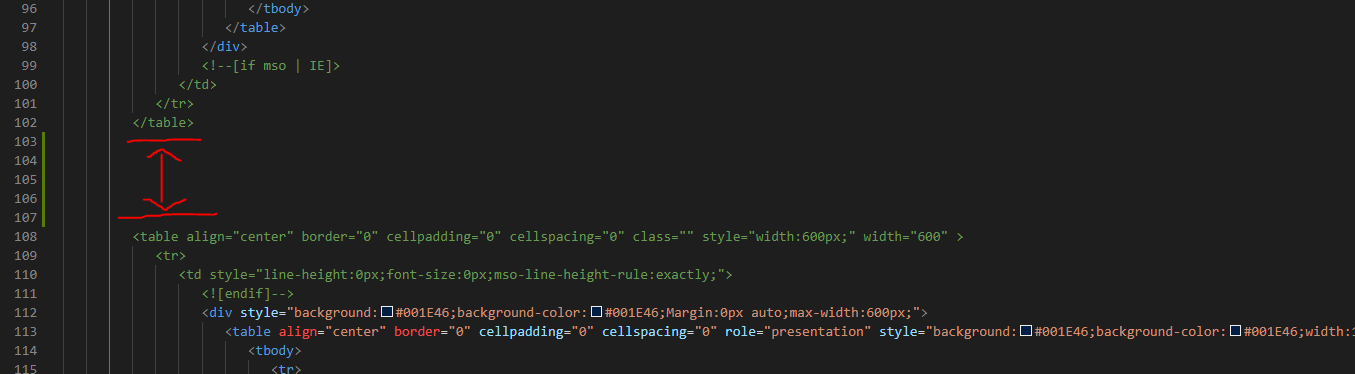
- For social media icons, find the
<div>tag that has the classmj-column-px-45, change width to 25% from 100%.
- In the preference center block replace the words Adjust your preferences to ensure you receive communication on the subjects that interest you from Medtronic. with the dynamic content element
<span elqid="321" elqtype="DynamicContent" class="remove-absolute" style="display: block"></span> - In the preference center block replace the words Adjust my preferences with the dynamic content element
<span elqid="322" elqtype="DynamicContent" class="remove-absolute" style="display: block"></span>


If adding the code to an Eloqua dynamic content element
- Remove all instances of
role="presentation" - Remove any vertical-align attributes